Back to guides
Enabling Real-Time Voice
Learn how to enable and configure Real-Time Voice for your AI chatbot, allowing users to speak naturally and receive voice responses in real time. This guide walks you through voice activation, provider selection, and testing the voice experience before publishing.
Real-Time Voice allows users to speak directly to your AI chatbot and receive spoken responses in real time. This creates a more natural, conversational experience, similar to interacting with a voice assistant.
When enabled, users can:
- Talk to your AI chatbot using their microphone
- Receive instant spoken replies
- Interact hands-free, without typing
This is ideal for support, demos, kiosks, accessibility use cases, and voice-first experiences.
How to Enable Real-Time Voice
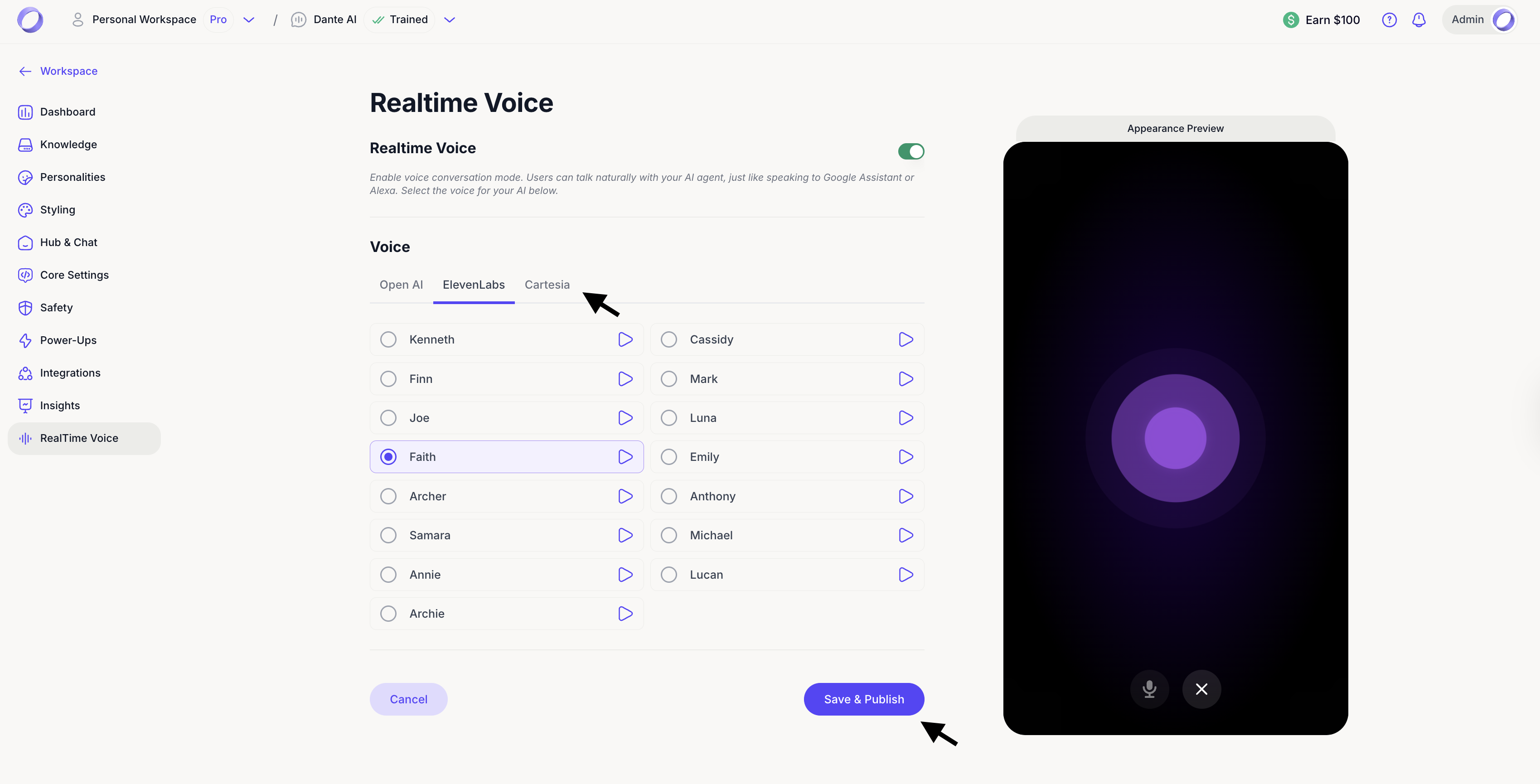
- In your AI chatbot workspace, select Real-Time Voice from the left-hand menu.
- Toggle Real-Time Voice on.
- Choose a voice provider:
- OpenAI
- ElevenLabs
- Cartesia
- Select a voice from the list.
You can preview each voice using the play icon before choosing. - Click Save & Publish to apply your changes.

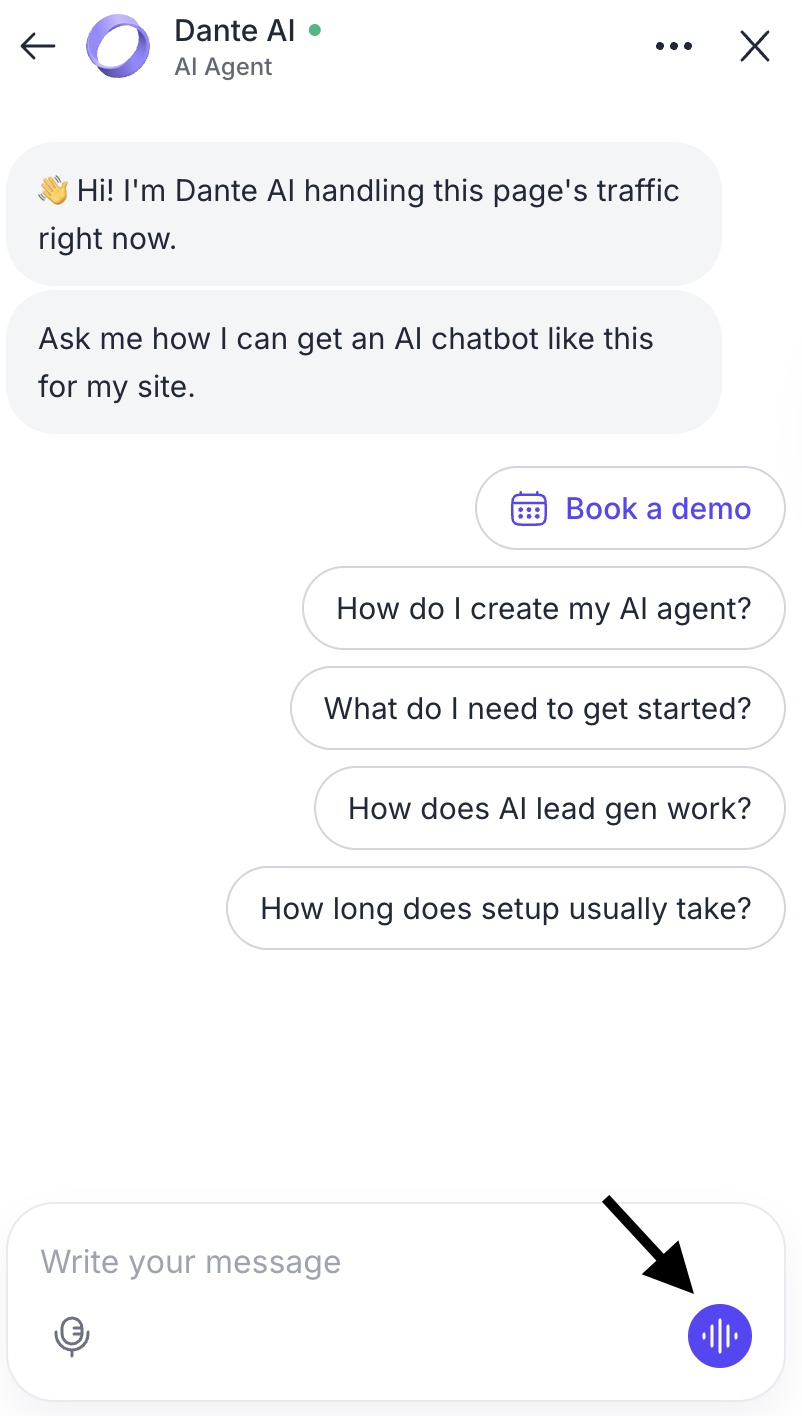
Once enabled, the microphone icon will appear in your chatbot interface, allowing users to start voice conversations instantly.
Each provider offers different voice styles and tones. You can switch voices at any time to better match your brand personality or use case. Changes take effect as soon as you save and publish.
Appearance Preview
On the right side of the screen, you’ll see a live preview of the Real-Time Voice interface. This preview allows you to test the voice experience directly, so you can speak to your AI chatbot and hear responses in real time before going live.

Next Steps
Now that you’ve enabled Real-Time Voice, you can take voice interactions even further with AI Voice Agents. Voice Agents allow you to create fully voice-first experiences, designed for calls, kiosks, and advanced conversational use cases.
In the next guide, you’ll learn how to set up and manage AI Voice Agents, including configuring call flows, handling voice interactions, and deploying them for real-world scenarios.