Back to guides
Add URLs or Videos
Learn how to scrape content from multiple URLs, including YouTube videos, Google Drive files, and Google Sheets documents. Right here.
You can upload URLs that include links to YouTube videos, Google Drive or Google Sheets documents.
Ensure that the links are public. For Google documents, make sure the general access setting is set to "Anyone with the link can view."

To upload URLs, follow these steps:
1. Click on URLs.
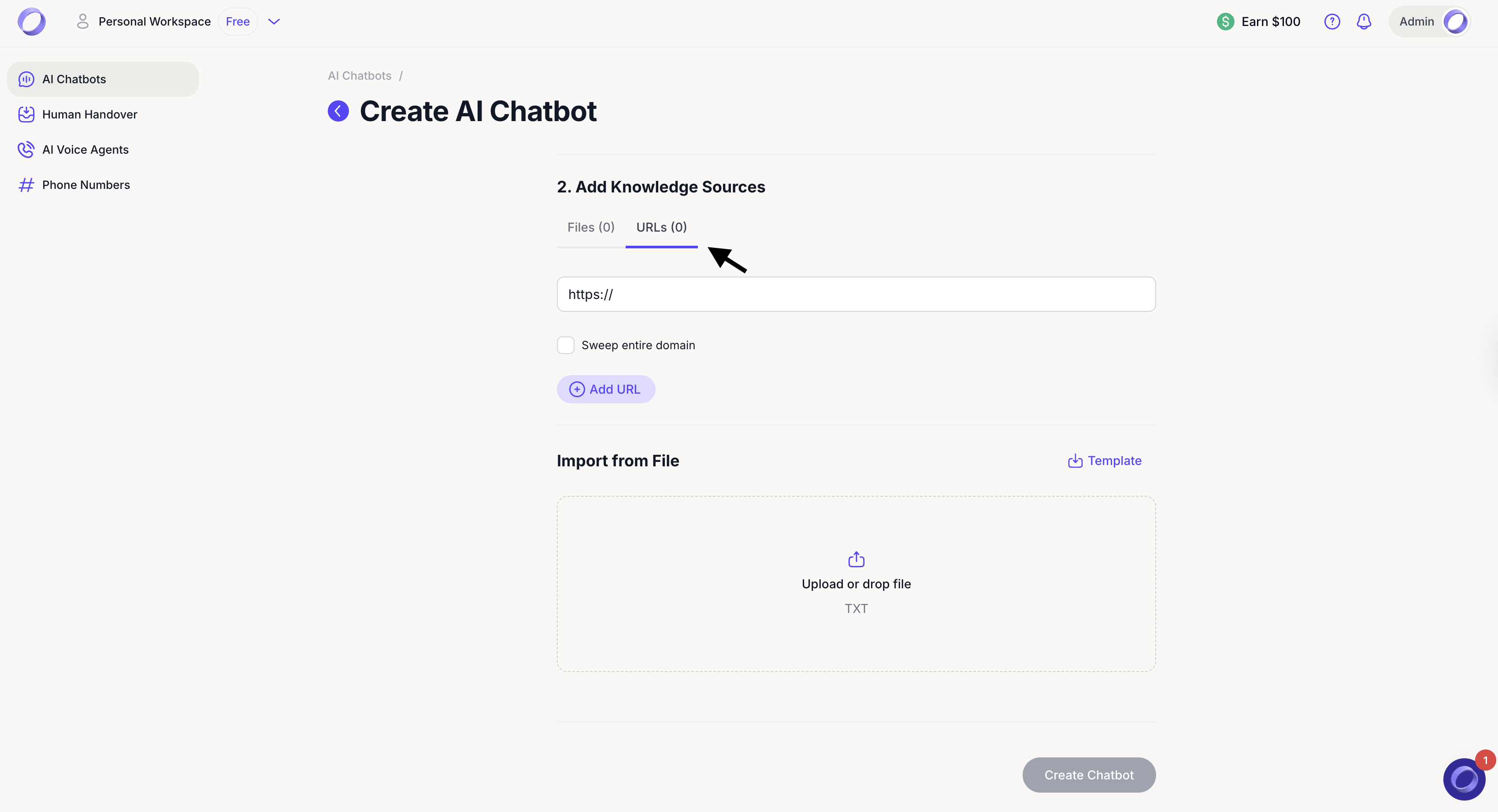
2. Select Sweep the entire domain if you want the AI chatbot to gather information from all pages within that domain.
• When you add a new URL, the AI chatbot will explore the content on those web pages and learn everything it needs to know, including information from your website.
• When you exclude a URL, the AI chatbot will not look at or learn from that web page.
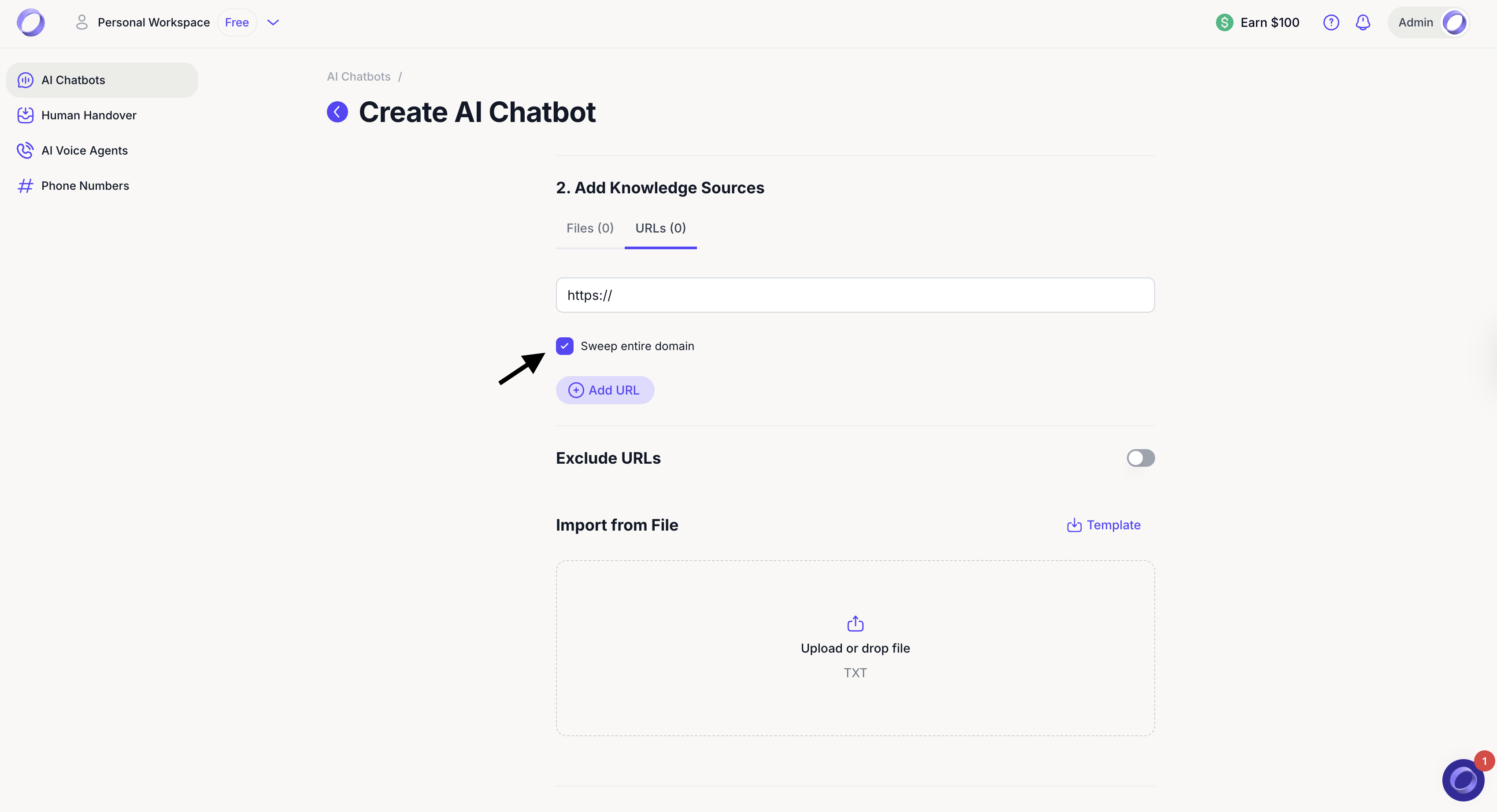
3. Click Add URL if you need to add more URLs. For each URL, you will need to select whether the single URL or the entire domain will be swept.

4. If you want to exclude any URLs from being swept under the entire domain, toggle on and specify them under Exclude URLs.

5. If you have lots of URLs, create a .txt file on your computer. Ensure each URL is on a separate line in your .txt document.

6. And upload or drop your .txt files consisting of URLs (one per line, see ready made Template).
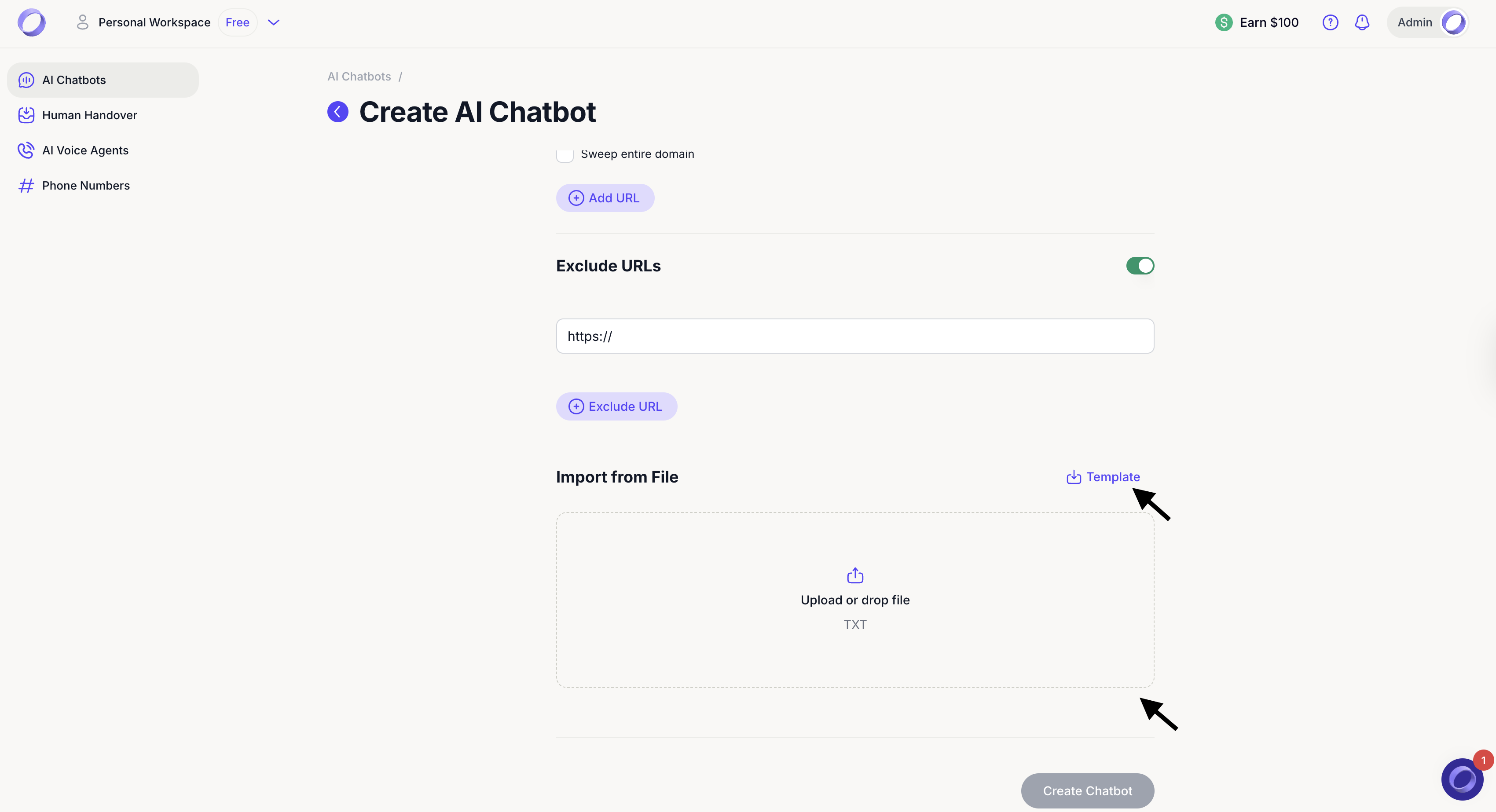
7. Once the file is uploaded, the list of URLs will appear. You will need to go through each one to select whether the single URL or the entire domain will be swept.12. When you are happy, click Create Chatbot.

Dante AI will train your AI chatbot using the data you have added. How long this takes depends on the amount of data you upload.
Once training is complete, you will be taken to your chatbot dashboard. There, you will see the next setup steps and can continue adjusting settings such as the welcome message, styling, personality, and deployment to match your needs.
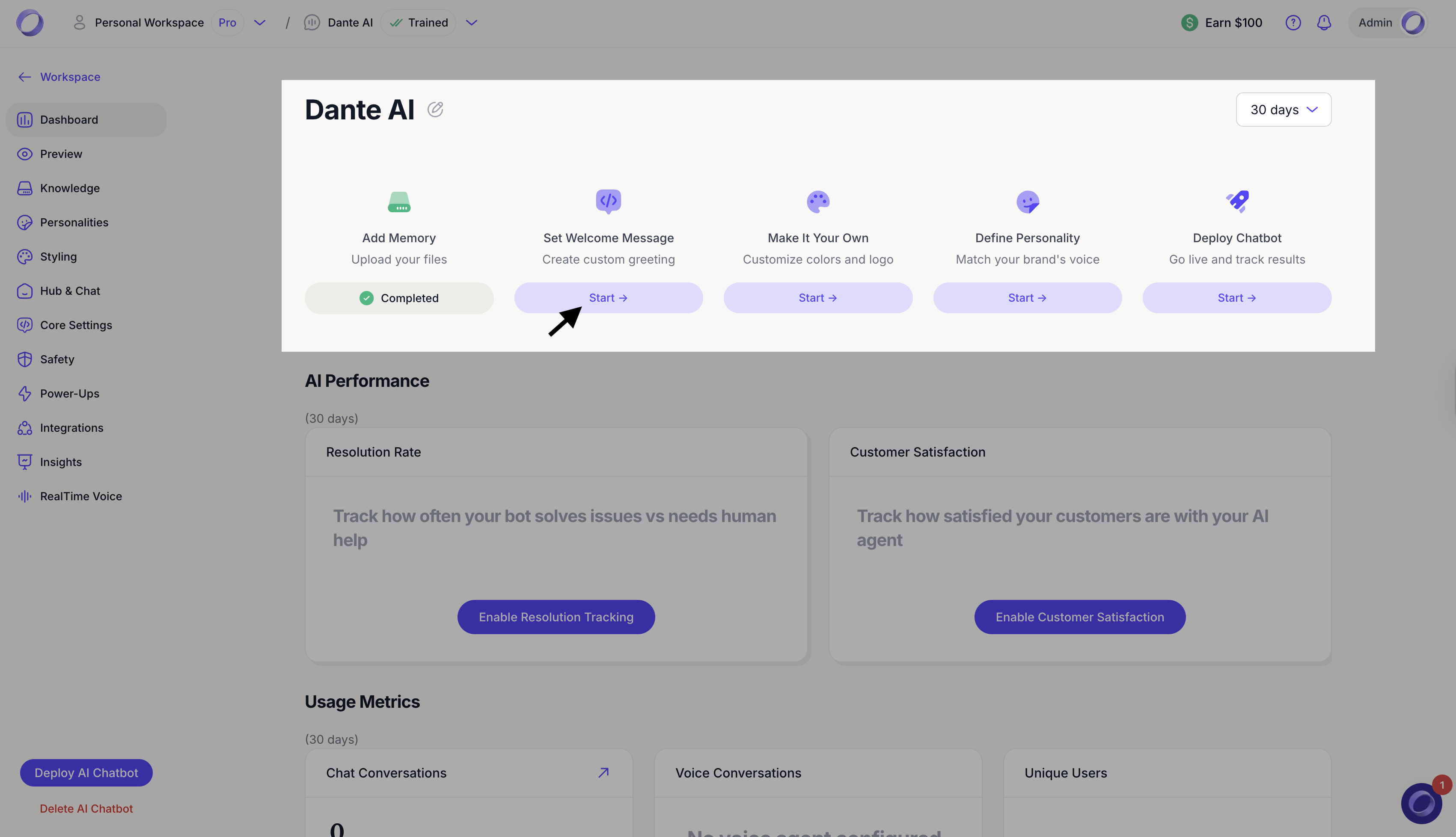
Next, learnhow to access your newly trained AI chatbot.