Back to guides
Manage subscription tiers
As your needs evolve, you can easily upgrade your Dante AI subscription at any time to unlock more features, increase credit limits, and access advanced tools to better serve your requirements. If your current plan no longer fits, you can also downgrade to a lower tier, which will take effect at the start of your next billing cycle.
As your needs evolve, you can upgrade or downgrade your subscription at any time to adjust features and usage limits.
To manage your subscription:
- In the top left corner of your dashboard, click your current plan name (for example, “Pro”).

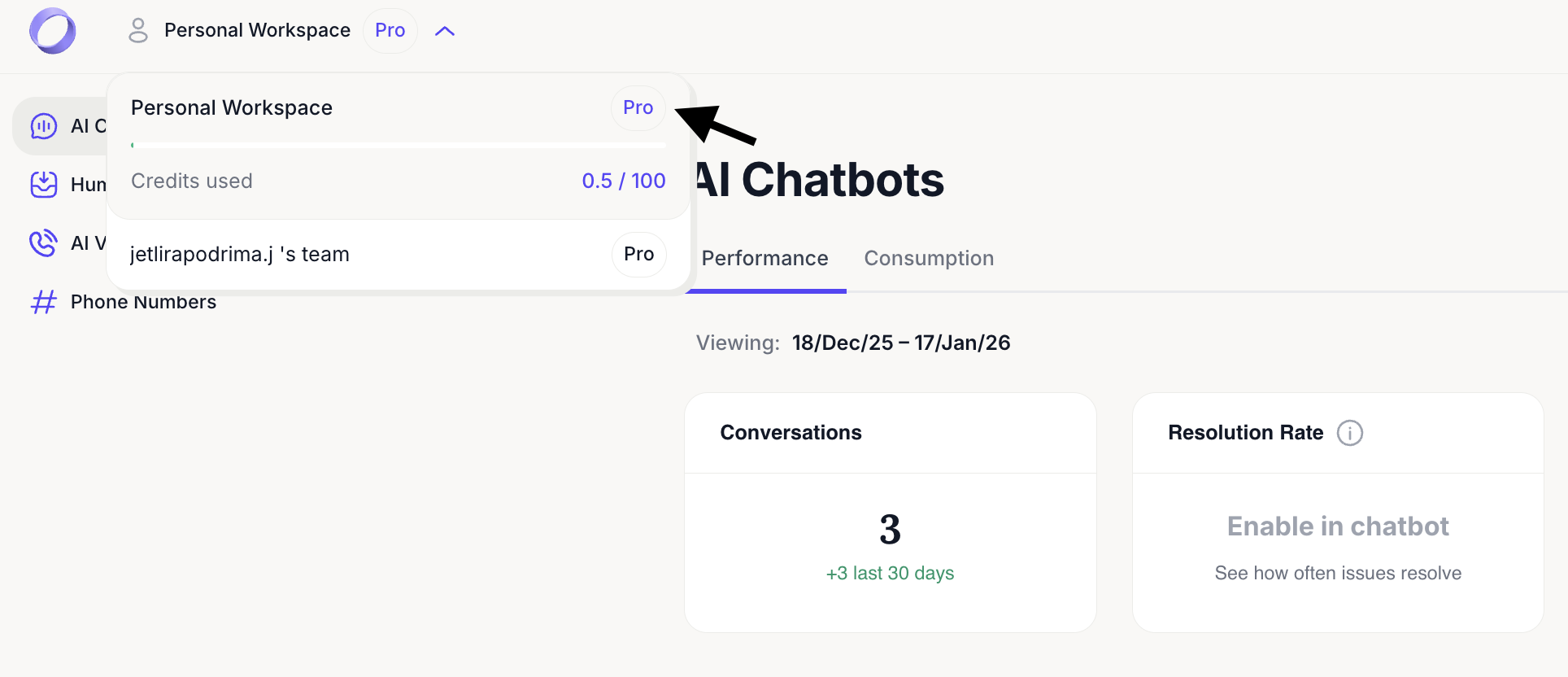
- Select the option to upgrade or downgrade from the membership view.

Any downgrade typically takes effect at the start of your next billing cycle.
Next steps: Logging out
Great job managing your subscription settings! Ensuring you have the right plan and features will keep your AI chatbot running smoothly. Click Next to learn how to log out of your account securely.
For additional support and to connect with other users, join our Discord community.